

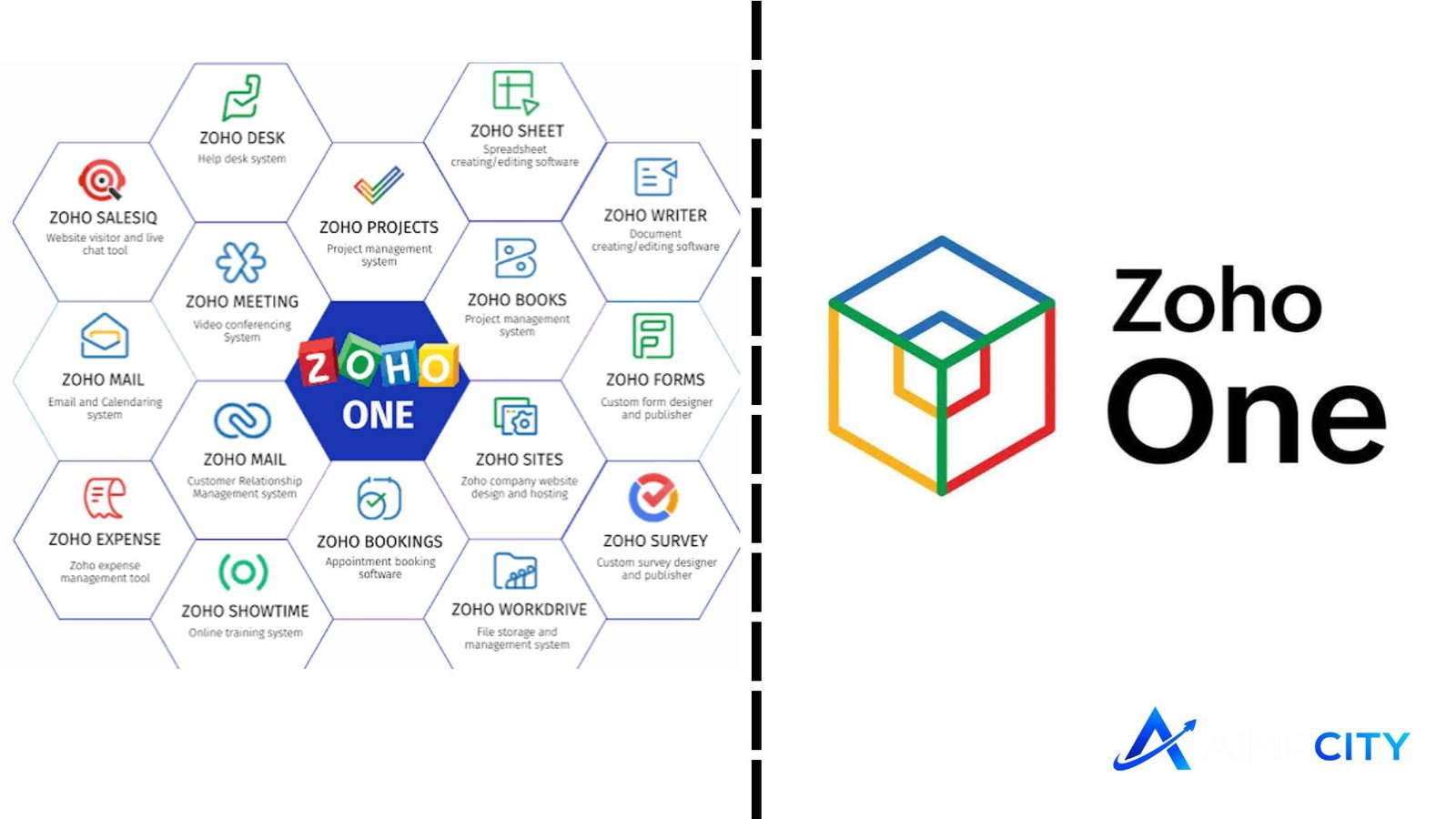
Zoho One is a unified business software suite designed to help companies manage multiple departments from a single ecosystem. Instead of using separate tools for customer management, accounting, human resources, marketing, communication, and productivity, businesses can connect their daily operations through one integrated platform.
For small businesses, startups, and growing companies, the challenge is often not finding software but managing too many disconnected systems. Data duplication, expensive subscriptions, and complicated workflows can slow growth. Zoho One addresses this challenge by bringing together dozens of applications under one business solution.
This guide explains what Zoho One offers, its main features, advantages, limitations, and why companies consider it for managing their complete digital operations.
What Is Zoho One?
Zoho One is a business application suite developed by Zoho Corporation that combines tools for sales, finance, marketing, customer support, collaboration, human resources, and business analytics.
The platform works as a connected environment where different teams can share information without constantly switching between unrelated applications. For example, a sales team can manage customer relationships, while finance teams handle invoices and payments using connected applications within the same system.
Unlike traditional software packages that focus on only one department, Zoho One aims to provide a complete operating system for businesses of different sizes.
The platform is commonly used by organizations that want:
- Better workflow automation
- Centralized business data
- Reduced software complexity
- Improved team collaboration
- More control over business processes
Key Features of Zoho One
The strength of Zoho One comes from its wide range of applications covering different business needs.
Customer Relationship Management
The CRM tools help businesses manage leads, contacts, sales pipelines, and customer interactions. Teams can track potential customers, automate follow-ups, and understand sales performance through dashboards and reports.
For companies focused on growth, having customer information connected with marketing and support activities can improve decision-making.
Finance and Accounting Tools
Financial management is another important part of the platform. Businesses can handle invoicing, expense tracking, payments, subscriptions, and accounting activities through integrated financial applications.
Connecting financial data with sales and operations can make reporting easier and reduce manual data entry.
Marketing Automation
Marketing teams can use tools for email campaigns, customer engagement, social media management, and campaign tracking.
The advantage of an integrated system is that marketing teams can access customer information from other departments, helping create more targeted campaigns.
Human Resources Management
Zoho One includes applications that support employee management, recruitment, attendance tracking, performance reviews, and internal communication.
HR teams can organize employee-related processes while maintaining better visibility across the organization.
Collaboration and Productivity
The platform also provides tools for workplace communication, document management, project collaboration, and team productivity.
Employees can work together using connected applications rather than relying on multiple unrelated platforms.
Zoho One Applications at a Glance
| Business Area | Common Applications | Main Purpose |
|---|---|---|
| Sales | CRM, SalesIQ, Forms | Manage leads, customers, and sales activities |
| Finance | Books, Invoice, Expense | Handle accounting and financial operations |
| Marketing | Campaigns, Social, Marketing Automation | Create and measure campaigns |
| Human Resources | People, Recruit, Payroll | Manage employees and HR workflows |
| Productivity | Mail, Projects, WorkDrive | Improve communication and collaboration |
Benefits of Using Zoho One for Businesses
Businesses choose integrated software because it can simplify complex operations. Zoho One provides several practical advantages.
One Connected Business Ecosystem
Using separate software solutions often creates information gaps. Different departments may maintain separate customer records, reports, or workflows.
A connected platform allows teams to work with shared information, improving consistency and reducing unnecessary manual tasks.
Cost Efficiency Compared With Multiple Tools
Purchasing separate applications for CRM, accounting, marketing, and HR can become expensive. A bundled business suite can offer a more predictable approach for companies that need multiple capabilities.
However, businesses should compare their actual requirements because smaller teams may not need every available application.
Automation for Repetitive Tasks
Automation can help companies save time on routine activities such as email responses, lead assignments, invoice reminders, and approval processes.
By reducing repetitive work, teams can focus more on customer service, strategy, and growth activities.
Better Business Insights
With connected applications, companies can analyze information across different departments. Managers can review sales trends, financial performance, customer activity, and operational data from a broader perspective.
💡 Pro Tip
Before implementing Zoho One, map your current business workflows first. Identify which processes require automation and which teams need access to specific applications. A clear implementation plan prevents unnecessary complexity and improves adoption.
Potential Limitations to Consider
Although Zoho One provides many business tools, it may not be the perfect solution for every organization.
One challenge is that companies may need time to configure the platform according to their processes. A business with complex workflows may require customization, training, or professional assistance.
Another consideration is that having many applications available does not automatically improve productivity. Teams still need proper processes, employee training, and clear responsibilities.
Companies should evaluate:
- Required features
- Team size
- Existing software systems
- Integration needs
- Long-term business goals
Who Should Use Zoho One?
Zoho One is suitable for businesses looking for an integrated software environment rather than individual tools.
It can be useful for:
- Small and medium-sized businesses
- Growing startups
- Service-based companies
- Organizations managing multiple departments
- Businesses wanting centralized customer and operational data
Large enterprises with highly specialized requirements may need additional evaluation before moving their complete operations to one platform.
📌 Key Takeaway
Zoho One provides businesses with a broad collection of connected applications for managing sales, finance, marketing, HR, and daily operations. Its biggest advantage is reducing software fragmentation, but successful implementation depends on choosing the right applications and creating efficient workflows.
Frequently Asked Questions
What is Zoho One used for?
Zoho One is used for managing different areas of a business, including customer relationships, accounting, marketing, employee management, communication, and productivity. It helps companies connect their operations through integrated applications instead of managing separate software systems.
Is Zoho One suitable for small businesses?
Yes, Zoho One can be suitable for small businesses that need multiple business tools as they grow. Companies should evaluate their workflow requirements before adopting the platform to ensure they use the applications that provide real value.
How many applications are included in Zoho One?
Zoho One includes a wide range of business applications covering various departments. The available applications can change over time as new products and updates are introduced by Zoho.
What is the difference between Zoho One and individual Zoho apps?
Individual Zoho applications focus on specific business needs, such as CRM or accounting. Zoho One combines multiple applications into a broader business suite designed for organizations that need several connected tools.
Can Zoho One replace other business software?
Zoho One can replace many separate business tools for organizations whose requirements match its applications. However, businesses with highly specialized systems should review integration options before making a complete transition.
Conclusion
Businesses need software that supports growth without creating unnecessary complexity. Zoho One offers a connected approach by bringing customer management, finance, marketing, HR, and productivity tools into one ecosystem.
The platform is most valuable for organizations that want centralized data and smoother workflows across departments. Before choosing it, businesses should review their processes, team requirements, and long-term goals to ensure the solution matches their needs.
For companies looking for an integrated business management platform, Zoho One remains a strong option for simplifying everyday operations.
