

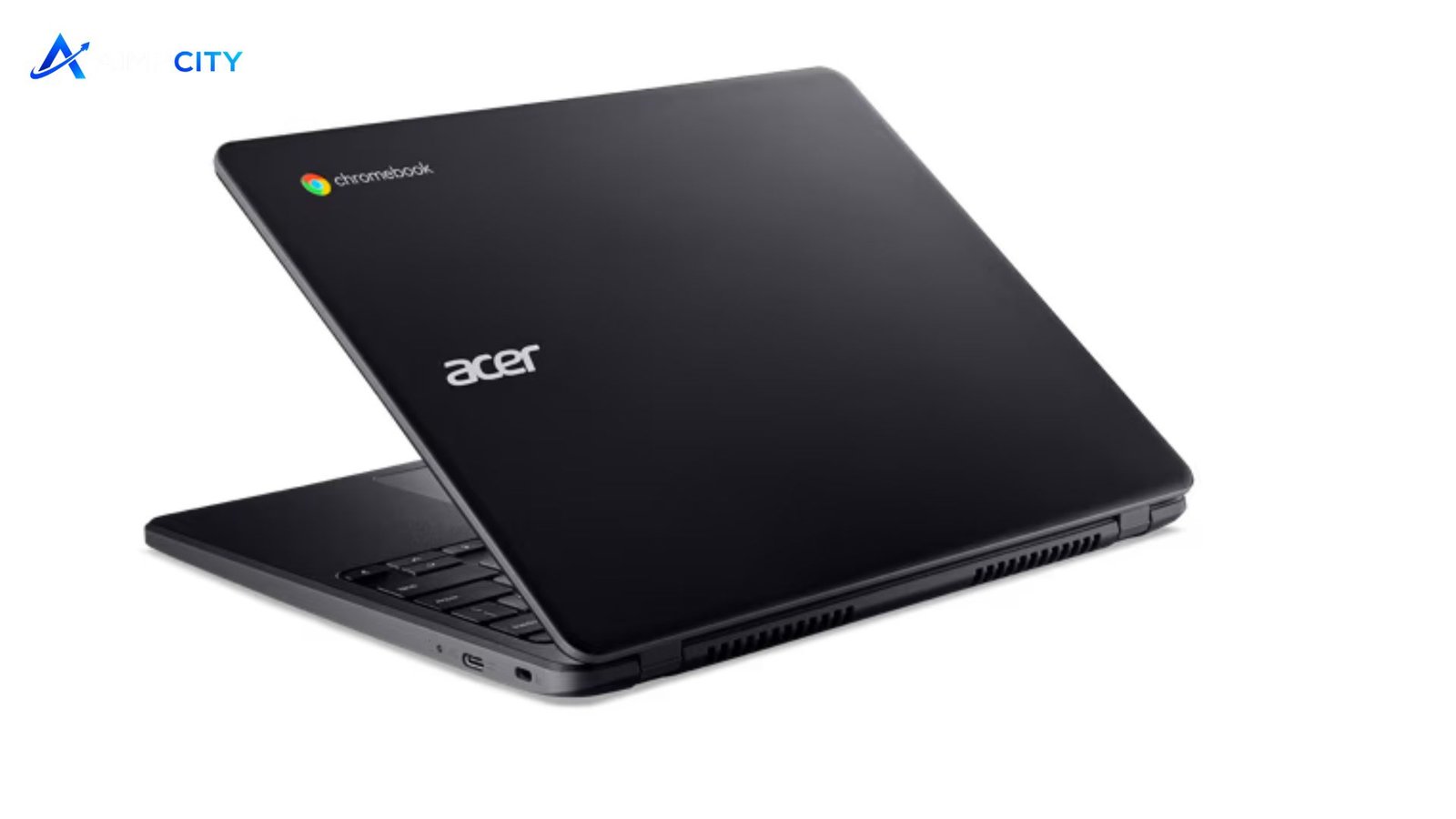
An Acer Chromebook is designed for people who need a simple, reliable, and affordable laptop for everyday computing. Built around ChromeOS, these devices focus on speed, security, cloud-based productivity, and ease of use rather than demanding desktop workloads. Students, remote workers, families, and casual users often consider them because they offer practical features without the complexity of traditional laptops.
The right Acer Chromebook can handle tasks such as web browsing, video meetings, document editing, online learning, streaming, and managing cloud files. However, understanding its strengths and limitations helps buyers choose a model that matches their actual needs.
Why choose an Acer Chromebook for everyday computing?
Chromebooks use Google’s ChromeOS operating system, which is built around the Chrome browser and web-based applications. Unlike many Windows laptops, they typically require fewer system resources, allowing many models to start quickly and maintain smooth performance for routine tasks.
An Acer Chromebook combines Acer’s hardware designs with ChromeOS features, giving users options ranging from compact educational models to larger displays suitable for home offices. Many models include touchscreen displays, long battery life, lightweight builds, and support for Android applications through the Google Play Store.
These laptops are especially useful for users who spend most of their time online. Email, Google Workspace tools, streaming services, online banking, and browser-based software generally work efficiently on ChromeOS.
| Feature | Benefit | Best For |
|---|---|---|
| ChromeOS operating system | Simple interface with automatic updates | Students and casual users |
| Lightweight hardware | Easy portability and comfortable daily use | Travelers and commuters |
| Cloud storage support | Easy file access across devices | Remote workers |
| Touchscreen options | More flexible navigation | Creative tasks and entertainment |
| Long battery efficiency | Extended use between charges | School and office work |
Key features to consider before buying
Choosing a Chromebook requires looking beyond the brand name. Different models offer different processors, displays, storage capacities, and designs.
Performance and processor options
ChromeOS is optimized for efficiency, but processor choice still matters. Entry-level models are suitable for browsing, writing assignments, and basic online activities. Users who frequently multitask with many browser tabs, video calls, or productivity applications may prefer models with stronger processors and more memory.
RAM also affects responsiveness. A model with higher memory capacity can provide a smoother experience when handling multiple applications at once.
Display quality and portability
Screen size is an important factor. Smaller displays make laptops easier to carry, while larger screens improve comfort for extended work sessions. Resolution, brightness, and touchscreen availability can influence the overall experience.
Students may prefer compact designs that fit easily into backpacks, while professionals working from home might benefit from a larger display.
Storage and connectivity
Most Chromebooks rely heavily on cloud storage, so internal storage requirements are often lower than traditional laptops. Still, users who keep many downloaded files, photos, or applications should consider models with more storage space.
Connectivity options such as USB-C ports, USB-A ports, headphone jacks, and wireless support also affect long-term usability.
💡 Pro Tip
Before purchasing, review the applications you use most often. If your workflow depends on specialized Windows-only software, advanced video editing programs, or professional desktop applications, a Chromebook may not provide the compatibility you need.
Benefits and limitations of Acer Chromebook models
The popularity of Chromebooks comes from their straightforward approach. They are generally easier to maintain because ChromeOS handles many updates and security processes automatically. Users do not usually need to manage complicated system maintenance tasks.
Another advantage is affordability. Many models provide essential computing features at a lower price point compared with premium laptops. This makes them attractive for education, basic office work, and households that need additional devices.
However, Chromebooks are not designed for every user. Their dependence on web applications can become a limitation for people who need specialized software. Some tasks requiring advanced hardware, such as professional graphics work or intensive gaming, may require a more powerful computer.
Battery performance, build quality, and features vary significantly between models, so buyers should compare specifications rather than choosing only by price.
Who should consider an Acer Chromebook?
An Acer Chromebook is a strong option for students who need a dependable device for research, assignments, virtual classrooms, and online collaboration. It is also suitable for professionals whose work mainly involves documents, communication platforms, spreadsheets, and web-based tools.
Families may find Chromebooks useful as shared household computers because they are easy to set up with separate user accounts. Travelers can also benefit from their lightweight designs and long battery life.
Users who should carefully evaluate alternatives include software developers working with demanding environments, creators using professional editing suites, and gamers requiring high-performance graphics.
📌 Key Takeaway
An Acer Chromebook works best for users who value simplicity, portability, security, and efficient online performance. Understanding your software needs, storage requirements, and preferred features before buying will help you select a model that delivers better long-term value.
Frequently Asked Questions
Is an Acer Chromebook good for students?
Yes, many Chromebook models are suitable for students because they support online classes, document creation, research, and collaboration tools. Their simple interface and generally affordable pricing make them practical for school environments, especially when most assignments are completed through web-based platforms.
Can an Acer Chromebook run Microsoft Office?
Many Chromebook users can access Microsoft Office through web versions and supported applications. Features may vary compared with full desktop versions available on Windows. Users who depend heavily on advanced Office functions should check compatibility before purchasing.
Does a Chromebook work without internet?
A Chromebook can perform some tasks offline, including certain document editing and media functions, but many features rely on internet access. Users should check which applications support offline modes if they frequently work without a connection.
How long does an Acer Chromebook usually last?
The lifespan depends on hardware quality, usage habits, and software support. A well-maintained Chromebook can remain useful for several years, especially when used for browsing, productivity, and education rather than demanding workloads.
Is a Chromebook better than a Windows laptop?
Neither option is universally better. Chromebooks are often easier to maintain and efficient for web-focused tasks, while Windows laptops provide broader software compatibility and hardware choices. The better choice depends on the applications and performance requirements of the user.
Conclusion
For users seeking an affordable laptop focused on everyday productivity, an Acer Chromebook offers a balanced combination of simplicity, portability, and efficient performance. It is particularly valuable for students, online workers, and anyone who mainly uses cloud-based services. Careful comparison of specifications ensures buyers choose a device that fits their daily needs rather than simply selecting the cheapest option.
