

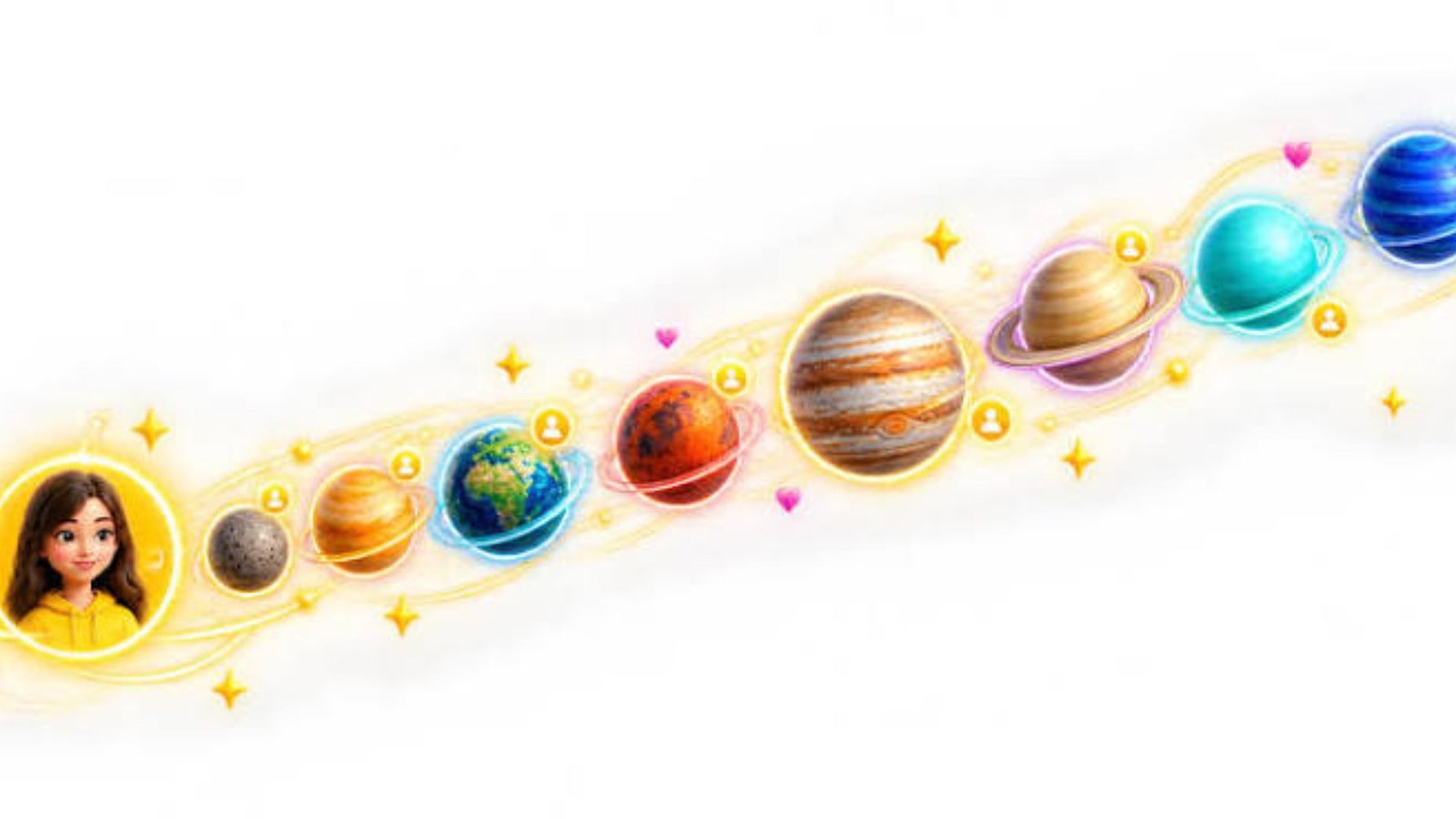
Seeing colorful planets on a Snapchat Friendship Profile can leave you wondering what they mean and why certain friends appear closer than others. Snapchat Planets turn friendship rankings into a visual solar system, but understanding each position is not always straightforward. This guide explains the complete planet order, what each symbol represents, how to find your ranking, and how to enable the feature.
1. What Are Snapchat Planets?
Snapchat Planets are part of the Friend Solar System, a feature available to Snapchat+ subscribers. It uses the eight planets of our solar system to represent positions in someone’s Best Friends list.
Each planet represents a different ranking, starting with Mercury in first place and ending with Neptune in eighth place.
For example, if you appear as Mercury in another person’s Friend Solar System, you hold the first position in their ranking. If your planet is Jupiter, you occupy the fifth position.
The feature is designed to make friendship rankings more visual and entertaining. However, it measures Snapchat interaction patterns rather than the strength of a real-life relationship.
2. Snapchat Planets in Order: Complete Ranking
The Snapchat Friend Solar System follows the same sequence as the eight planets in our solar system.
| Position | Planet | Meaning |
|---|---|---|
| 1 | Mercury | First Best Friend |
| 2 | Venus | Second Best Friend |
| 3 | Earth | Third Best Friend |
| 4 | Mars | Fourth Best Friend |
| 5 | Jupiter | Fifth Best Friend |
| 6 | Saturn | Sixth Best Friend |
| 7 | Uranus | Seventh Best Friend |
| 8 | Neptune | Eighth Best Friend |
Remembering this sequence makes it easier to understand your position without checking a ranking guide every time.
3. Snapchat Planets Meaning: What Does Each Planet Represent?
Every planet has a distinctive appearance and represents a specific position in the Best Friends ranking.
Mercury – First Best Friend
Mercury represents the number-one position in someone’s Friend Solar System. Its reddish appearance and surrounding pink and red hearts make it easy to recognize. It indicates that you hold the highest friendship ranking in that person’s list.
Venus – Second Best Friend
Venus represents the second position. Its yellow and pink colors, together with decorative hearts, distinguish it from the other planets. It means you rank just below the person’s top Snapchat friend.
Earth – Third Best Friend
Earth represents the third position. Its blue and green appearance, along with its moon and heart decorations, makes it recognizable. It indicates that you occupy the third place in the ranking.
Mars – Fourth Best Friend
Mars represents the fourth position. It has a reddish-orange appearance with decorative hearts around it. If you see Mars, you are ranked fourth in that person’s Friend Solar System.
Jupiter – Fifth Best Friend
Jupiter represents the fifth position. Its orange color and striped appearance make it visually different from smaller planets. It shows that you hold the fifth place in the ranking.
Saturn – Sixth Best Friend
Saturn represents the sixth position. Its distinctive rings make it one of the easiest planets to identify. It means you rank sixth among that person’s Best Friends.
Uranus – Seventh Best Friend
Uranus represents the seventh position. Its blue-green appearance separates it from the warmer colors of the other planets. It indicates the seventh ranking.
Neptune – Eighth Best Friend
Neptune represents the eighth and final position. Its deep-blue appearance completes the Friend Solar System. Although it is the last position, it still belongs to the eight-person Best Friends ranking.
4. How Does the Snapchat Best Friends List Work?
Snapchat identifies Best Friends based on the people you Snap and Chat with most frequently. These friends appear prominently in different areas of the application.
According to Snapchat Support, users can have up to eight Best Friends, and the list updates regularly.
Your ranking can change as your communication habits change. For example, if you start interacting more frequently with another person, your position in the list may move.
Snapchat does not publish an exact formula that explains how many messages or Snaps are required to reach a particular position.
5. How to Find Your Planet on Snapchat
You can check your planetary position through a friend’s Friendship Profile if the feature is available to both relevant accounts.
Follow these steps:
- Open Snapchat on your device.
- Find the friend whose profile you want to check.
- Tap their Bitmoji or profile icon.
- Open their Friendship Profile.
- Look for the Best Friends badge with a gold ring.
- Tap the badge to view your planet.
- Match the displayed planet with the ranking list.
The planet tells you where you appear in that person’s Best Friends ranking. It does not automatically show your position in your own list.
6. How to Enable the Snapchat Friend Solar System
The Friend Solar System is a Snapchat+ feature that is turned off by default for first-time subscribers.
To enable it:
- Open Snapchat and tap your profile icon.
- Select your Snapchat+ membership card.
- Find the feature management section.
- Locate the Solar System option.
- Turn the feature on.
- Visit an eligible Friendship Profile to check the planet badge.
You can turn the feature off again whenever you want.
Having Snapchat+ does not necessarily mean the Solar System is already enabled, so checking this setting is important.
7. What Does the Snapchat Planets BSF List Mean?
BSF stands for Best Friend. When users search for a Snapchat Planets BSF list, they generally want to know how the planets represent their friendship positions.
Here is the simple breakdown:
- Mercury: Number-one Best Friend.
- Venus: Number-two Best Friend.
- Earth: Number-three Best Friend.
- Mars: Number-four Best Friend.
- Jupiter: Number-five Best Friend.
- Saturn: Number-six Best Friend.
- Uranus: Number-seven Best Friend.
- Neptune: Number-eight Best Friend.
These positions help explain the planetary symbols without confusing them with Friend Emojis or Snapchat Streaks.
8. Can Your Snapchat Planet Change?
Yes. Your planet can change when your position in another person’s Best Friends ranking changes.
For example, you might appear as Jupiter one week and Saturn later. This can happen when communication patterns change and other friends move above or below you.
Your planet is not a permanent friendship status. It reflects your current ranking rather than how long you have known someone.
There is also no guaranteed number of messages or Snaps that will move you from Neptune to Mercury.
9. Why Can’t You See Snapchat Planets?
If the planetary feature is missing, several things could explain the problem.
- Solar System is disabled: Check the Snapchat+ feature settings.
- You do not have Snapchat+: The Friend Solar System is a subscriber feature.
- Your app needs updating: Install the latest available Snapchat version.
- The relevant badge is unavailable: Check whether the Friendship Profile meets the feature requirements.
- Temporary app issue: Restart Snapchat and check again.
If the problem continues, visit Snapchat Support for account-specific assistance.
10. Are Snapchat Planets an Accurate Measure of Friendship?
Snapchat Planets show positions based on activity within the application. They do not measure emotional closeness, loyalty, trust, or the importance of a person in your life.
Someone you rarely message on Snapchat could still be your closest friend in real life. Similarly, a person who appears as Mercury does not automatically have a stronger personal relationship with you.
Treat the feature as a fun way to understand your Snapchat interactions rather than a serious relationship measurement.
Frequently Asked Questions About Snapchat Planets
1. What is the correct Snapchat Planets order?
The correct order is Mercury, Venus, Earth, Mars, Jupiter, Saturn, Uranus, and Neptune. Mercury represents first place, while Neptune represents eighth place.
2. What does Mercury mean on Snapchat?
Mercury represents the number-one position in someone’s Best Friends ranking. It is the highest position in the Friend Solar System.
3. What does Neptune mean on Snapchat?
Neptune represents the eighth position. It is the final place in the eight-person Best Friends ranking.
4. Do you need Snapchat+ to see the planets?
Yes. The Friend Solar System is a Snapchat+ feature. You must also enable the setting if it is turned off.
5. Can someone see their planet in my Snapchat Solar System?
Eligible users can see their position through the relevant Friendship Profile badge when the feature is available and enabled. They cannot simply open your profile to see your entire Best Friends list.
6. Do Snapchat Planets change automatically?
Yes. Planet positions can change as Snapchat Best Friends rankings change. The platform updates these rankings regularly, but it does not provide a fixed update schedule.
Conclusion
Snapchat Planets make friendship rankings easier to understand through a visual solar system. From Mercury at number one to Neptune at number eight, each planet represents a different position in someone’s Best Friends list.
The key is understanding that these rankings reflect Snapchat activity, not the true value of a relationship. Your planet can change over time, and your position in someone else’s solar system may differ from theirs in yours.
If you use Snapchat+, explore the Friend Solar System settings and check your Friendship Profiles to understand how this feature works.

1 Comment
Pingback: Latest Technology News 2026: Key Trends and Updates